


How to Copy Telegram Signals to MT4 with Telegram Signal Copier (Step-by-Step Guide)

Global Banking & Finance Review data shows that MT4 holds 46-65% trader share in 2025 despite the rise of the MT5 platform. So, learning how to copy Telegram signals to MT4 to automate Telegram signals is crucial.
Are you struggling with your Forex trading automation using the MT4 platform? Then, this comprehensive guide will walk you through every step to copy Telegram signals to MT4 easily without any manual errors and complex settings. So, let’s see.

What is MetaTrader (MT4)?
MetaTrader 4 (MT4) is a renowned trading platform, specifically designed for forex and futures trading worldwide. MetaQuotes Software developed it in 2005. Despite the updated version MT5 being highlighted in the future trading market, MT4 commands around 8 million users compared to MT5’s 2 million users.
MetaTrader 4 is mainly licensed to foreign exchange (Forex) brokers. But it also supports trading other financial assets like Gold (XAU), Indices, crypto, and stocks.
Why Do Traders Use MT4?
MT4 has a comparatively more user-friendly interface and a wide range of Expert Advisors library. So, most beginner traders still prefer using MT4.
MT4 was developed primarily focusing on Forex trading, so most of the Forex traders use the MT4 platform. Due to the simple and easy-to-use interface, retail beginner traders find it useful. It is fast, stable, and supports automated trading.
So, MT4 mainly provides you with-
- Fast-trading execution
- Safe and licensed broker compatibility
- Built-in charting tools
- Advanced prop firm compatibility
- VPS hosting compatibility
- Supports algorithmic trading/ EA-based trading
How Telegram Signals to MT4 Copier Works
By connecting the Telegram to MT4 copier, it can easily copy signals from Telegram. Here’s how it works-
- A signal comes into your Telegram channel or group.
- The MT4 copier detects the signal and copies the exact signal data instantly
- Then, the MT4 copier converts the signal into a valid trade order on MT4, using trade direction, entry point, SL-TP, etc.
- Finally, MT4 opens a trade automatically without error
However, some Telegram to MT4 trade copiers can copy and execute signal updates as well for open positions. Simply put, a Telegram to MT4 copier turns Telegram messages into real market orders without any manual efforts or monitoring.
How to Copy Telegram Signals to MT4?
You can copy Telegram signals to MT4 either manually or automatically. Manually copying signals and placing the trades on MT4 can be time-consuming and might cause slippage. However, copying Telegram signals to MT4 automatically using an MT4 copier can save your time and avoid missed signals.
Telegram Signal Copier (TSC) is such a Telegram to MT4 copier tool that can automatically copy signals to MT4 in real time. TSC was developed using advanced AI technologies that can instantly copy Telegram signals to trading platforms like MT4, MT5, cTrader, DXTrade, and TradeLocker, removing emotions from trading and manual mistakes.
TSC is like a trading assistant on the go to monitor and place the trades on your behalf, but far better than you could do manually.
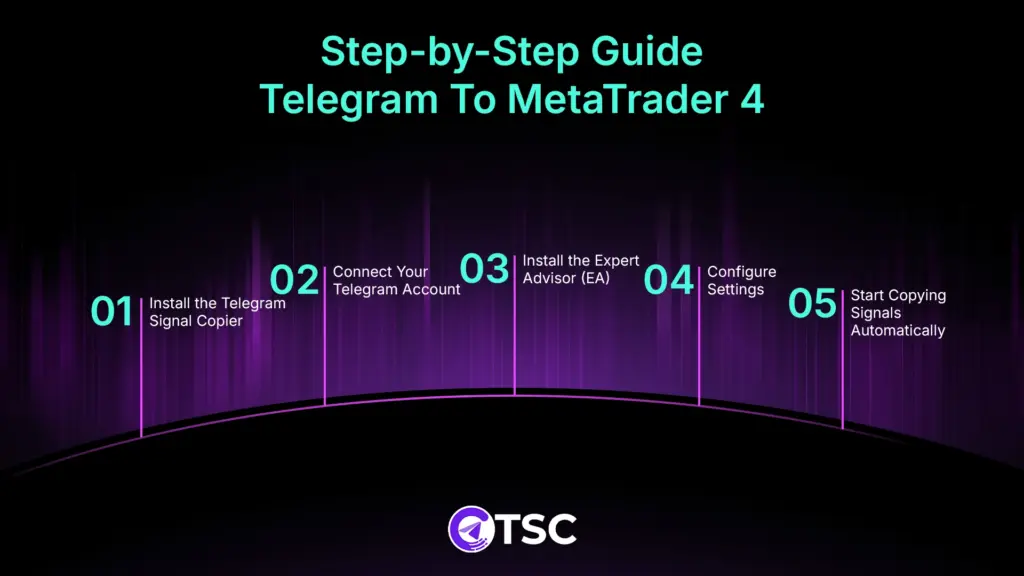
Here are the steps to copy Telegram signals to MT4-
Step- 1: Install the Telegram Signal Copier
To get started, download and install the TSC app on your PC or MAC, following the instructions. This telegram to MT4 or telegram to MT5 copier works on all Windows systems (32-bit/64-bit).
Step- 2: Connect Your Telegram Account
Next, open the TSC app and connect your Telegram account to connect the Signal provider channels and groups in the TSC app.
Step- 3: Install the Expert Advisor (EA)
Then, open the MetaTrader 4. Your Telegram to MT4 receiver comes with an EA (Expert Advisor) file. Install that EA file within the MT4.
Step- 4: Configure Settings
Now, configure the risk settings and other customizations within EA. Inside MT4, go to
Tools > Options > Expert Advisors
And double-click TSC EA or drag and drop the EA on the MT4 chart. The EA will open up for customization.
Customize your risk settings, like lot sizes, entry modifications, SL-TP modifications, time filter for trade schedules, and so on, according to your trading preferences.
Step- 5: Start Copying Signals Automatically
Now, save the settings and start copying trading signals from Telegram to the MT4 platform.
If a signal drops in the Telegram channel, the copier EA will automatically execute trades for you. No signal is missed, no chance of manual error, no continuous monitoring. Just set it up and enjoy the sip of your cappuccino.
You can watch this tutorial on copying trading signals from Telegram to MetaTrader 4 👇
Why Use TSC to Copy Signals from Telegram to MT4 Copier?
Advanced AI technology use and instant trade execution are the highlighting features of TSC (Telegram Signal Copier) to copy signals automatically from Telegram to MT4.
Here are all the key features-
AI Copy Genius
The latest TSC MT4 copier can automatically copy any format and any language of trading signals and for this you don’t need to configure any settings. It can detect entry point, trade order direction, SL-TP automatically and place the trades.
Image Signal Copy
Vision AI-powered image recognition mode can automatically copy image signals and extract trade order details without error. Even TSC can detect the update messages for image signals and update the open positions as per the providers’ updates.
Multiple Market Support
TSC MT4 copier supports multiple financial markets- Forex, Gold, Indices, Crypto, stocks, etc., and executes trades from multiple asset trade signals.
Multiple Platform Compatibility
TSC not only copies signals to MT4, but also copies signals to MT5, cTrader, DXTrade, and Tradelocker platforms. This multiple trading platform compatibility has made TSC an all-in-one trade copier tool worldwide.
24/7 Instant Trade Copy
Humans might not be able to trade 24/7, but TSC can. TSC MT4 trade copier can instantly copy Telegram signals to MT4 at the extremely lowest latency. So, not a signal is missed, no missed opportunities.
Advanced Risk Control
TSC comes with advanced risk control settings, like the SL-TP modification, entry modification based on target TP, pips, and money amount, reverse trading to flip a losing trade into a winning one, custom account balance, and many more.
Trackable Signal History
Latest TSC Telegram to MT4 copier comes with a ‘Signal History’ dashboard, which helps you track each copied signal in a more traceable and organized way. So, no missed singal issue and you can overview your trade signals and the copied trades at a glance.
Multiple Channel Trade Copy
This Telegram to Metatrader signal copier can easily copy hundreds of trades from multiple Telegram channels at a time. So, trade managers and portfolio managers can easily copy signals from multiple Telegram accounts and enjoy trading on the go.
What are the Benefits of Using TSC MT4 Copier?
This AI-powered telegram signal copier (TSC) removes the stress of missing signals by instantly copying signals to MT4, avoiding manual errors. Some other benefits include-
- No missed signals by lightning-fast trading execution with the ultra-lowest latency
- Accuracy and transparency with AI-powered trade automation
- Removes emotional trading with automated risk settings and customization
- Brings peace of mind with improved risk management
- Saves time and effort by copying signals to MT4, 24/7
- Every trade is trackable with execution date and time from the Signal History
- Balanced trade life by scheduled trade copy with the time filter
- 24/7 live technical support team & first-time free setup
- Specializedequity protector EA for prop firm traders
Who Benefits from Using TSC MT4 Copier?
From beginner traders seeking hands-free trading to advanced portfolio managers can benefit by copying signals automatically from TSC Telegram to MT4 & MT5 and other platforms.
- Beginners can easily automate Telegram signals to MT4, avoiding emotions from trading and manual errors.
- Intermediate to Advanced traders can customize and backtest trading strategies by automating Telegram signals with customized risk setups.Professional Hedgers & Account Managers managing multiple accounts across different platforms.
TSC Grabbing Major Attention Worldwide: Over 90,000+ Trusted Users
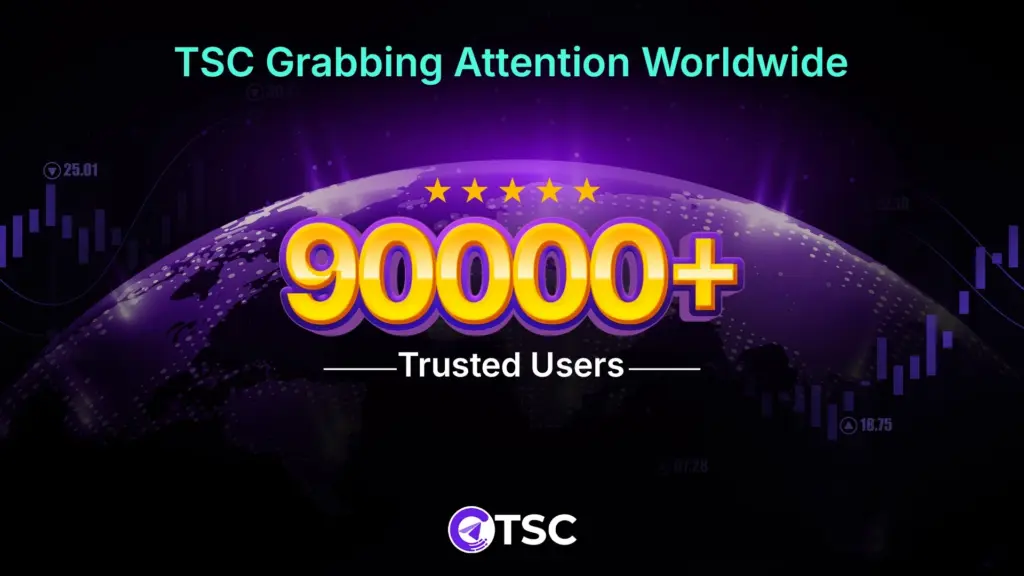
Telegram Signal Copier (TSC) is rapidly gaining global attention, crossing 90,000+ active users worldwide. Traders from every region are trusted by its speed, accuracy, and automation power by advanced AI technology.
However, the latest version updates have sparked a wave of excitement across trading communities and business features like Tech Bullion, Digital Journal, Street Insider, and more.
From Telegram groups to trading forums and review channels, this Telegram to Metatrader copier is becoming a buzzworthy name, frequently highlighted as a must-have tool for anyone copying Forex, Gold, Indices, or Crypto signals.
Not sure which copier to use for MT4? See our ranked comparison of the best Telegram signal copiers for MT4 and MT5.
Final Words
Now that you know everything about how to copy Telegram signals to MT4 automatically, you can easily automate your trade execution without any manual errors.
Besides, our Telegram Signal Copier will help you copy Telegram to MT4 from hundreds of forex Telegram signals, so you can apply the winning forex Telegram signals to your MT4 account.
It uses AI to copy Telegram trading signals and execute them automatically to multiple trading platforms, and so it advances in features compared to other traditional Telegram to Metatrader copiers
Contact the TSC support team, available 24/7 for your assistance, and learn more about TSC Telegram to MT4 Copier free download.

Yes, MetaTrader 4 is not only good but the best option for beginner Forex traders, due to being especially licensed for Forex brokers.
Yes, MetaTrader 4 is free to download and use on any device.
Yes, using an MT4 trade copier, you can easily copy crypto signals to MetaTrader4 and automate Telegram signals.
Yes, TSC automatically copies trading signals from Telegram to your MT4, MT5, cTrader, DXTrade, and TradeLocker platforms.
Yes, you can access the TSC telegram to MT4 copier free of cost by registering with EightCap and Focus Market, and enjoy copy trading Telegram to MT4.
Yes, you can run both MT4 and MT5 simultaneously on the same device without any issue.

3 Comments
Comments are closed.