
Latest TSC Version 5.4 is Here to Remove Signal Missing Stress: Auto-Copy without Slippage
Does your signal copier miss signals? That’s the most horrible nightmare that can ever happen. But not anymore. The new TSC version 5.4 has been launched with some advanced features to trace each and every copied signal.
With the latest Telegram Signal Copier (TSC), you can enjoy fully organized, traceable, and seamless copy trading. No signal goes missing, no trade is lost, and slippage is reduced. And there is more!
So, let’s reveal what’s inside the new TSC update and how it can benefit you.

Why Missed Signals in Copy Trading Matter?
In signal trading or copy trading, missed signals mean missed opportunities and overall losses. And when you are relying on a signal copier, but that copier misses the profitable signals that you can’t even track.
Missed signals can lead to:
- Lost profits due to delayed or missed trades
- More trade slippage impacting account portfolio
- Increased stress and poor decision-making
- Reduced trust in automated trading systems
That is why accurate signal copying with instant execution is the key to successful copy trading.
What’s Included in the latest Telegram Signal Copier Update 2026?
Telegram Signal Copier (TSC) has come with two major feature updates within the ‘TSC client portal,’ also known as the ‘login portal,’ to eliminate the missed signal issue. With advanced features, the latest TSC copier is launched to remove traders’ ultimate nightmare— “signals are missed.”
Right after the launch of TSC Version 5.3 with risk management features, here comes another quick release of the new version 5.4, especially to remove the frustration of missing signals.
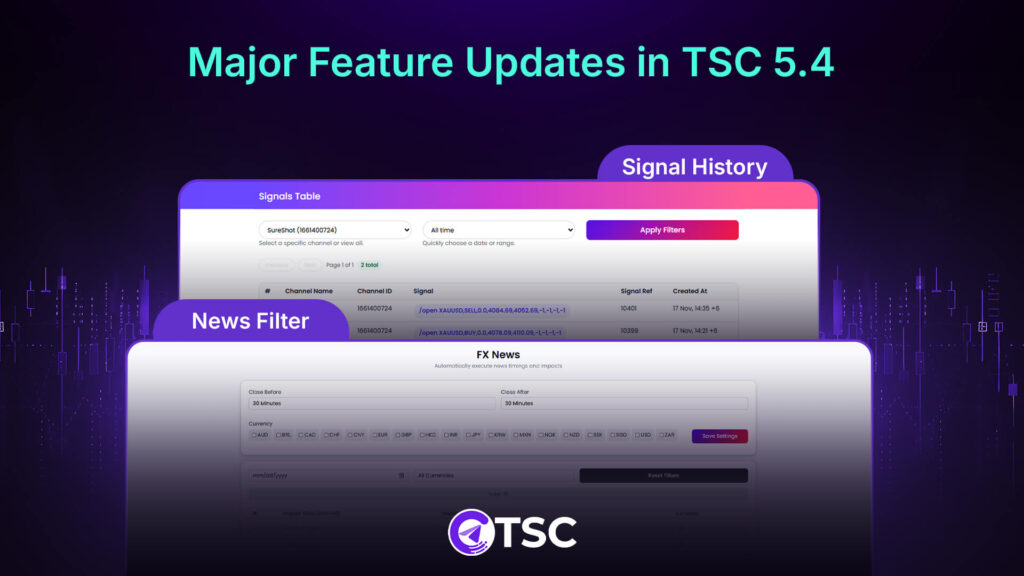
Here are the updated features:
1. Signal History Dashboard
After signing in to the TSC login portal, you will find the ‘Signal History Dashboard’ feature. Here you can see and track each and every signal that your copier copied. No need to search the history text file now. Your signal copier history is now traceable with the complete breakdown of the trade creation time and data, with providers’ channel info.
This Signal History Dashboard allows you to—
- Track every copied trade in a managed, organized view
- Preview signals with Telegram message ID, channel ID, and channel name
- Check the serial number for trade signals
- Monitor trade success rates and missed opportunities
- Analyze the signal provider’s signal frequency
- Track signal history for all the Telegram channels or a specific channel
- Filter your copied signal for a specific time period
This ‘Signal History’ dashboard inside the TSC admit portal helps you get complete control over your trade copying, reducing the fear of missed opportunities and uncertainty.
2. News Filter
It is not the general news filter. With more customization and advancement, this feature allows you to pause your trading automatically during major news events. Generally, News impact in trading is of 3 types: high, medium, and low. The new feature of the TSC news Filter works based on high-impact news.
Basically, in 2026, with the new Telegram Signal Copier, you can set a specific time period before and after major news releases for specific currencies when the copier will not copy any trades. This is how you can avoid the highly volatile periods automatically.
Plus, you can review all the previous or upcoming high-impact news events for specific data and Forex currencies as well. And this ‘News Filter’ option is only available for the TSC Pro Plan.
To use the News Filter feature—
- Go to the TSC admin Portal
- Set a custom time period before and after news from ‘Close before’ and ‘Close after’ to pause auto-copying
- Select the currencies (All or any specific currency) for which you want to pause trading
- Click ‘Save Settings’ to save your customization.
- Next, go to the TSC app
- Then, open the keyword config for the signal channel
- Make the ‘News Filter’ option ‘True’ under the ‘Additional Keyword’ settings
And voila! The TSC will automatically pause signal copying for the duration of that currency pair. Avoid signal misses caused by sudden market volatility during news releases, and keep your copy trading more customized and profitable, powered by advanced AI.
How New Telegram Signal Copier Update Removes Missed Signals Stress
With a trackable and complete signal history dashboard and news filter preferences, the updated Telegram Signal Copier 2026 will make your copy trading safe and updated with real-time signal status.
The most frustrating fact with any copier is the fear of missed signals. New TSC removes that fear and ensures your trading is free from the anxiety of missing signals.
Again, different high-impact news events by the US Federal or central banks can make the market highly volatile, increasing risks, which is solved with the latest updates.
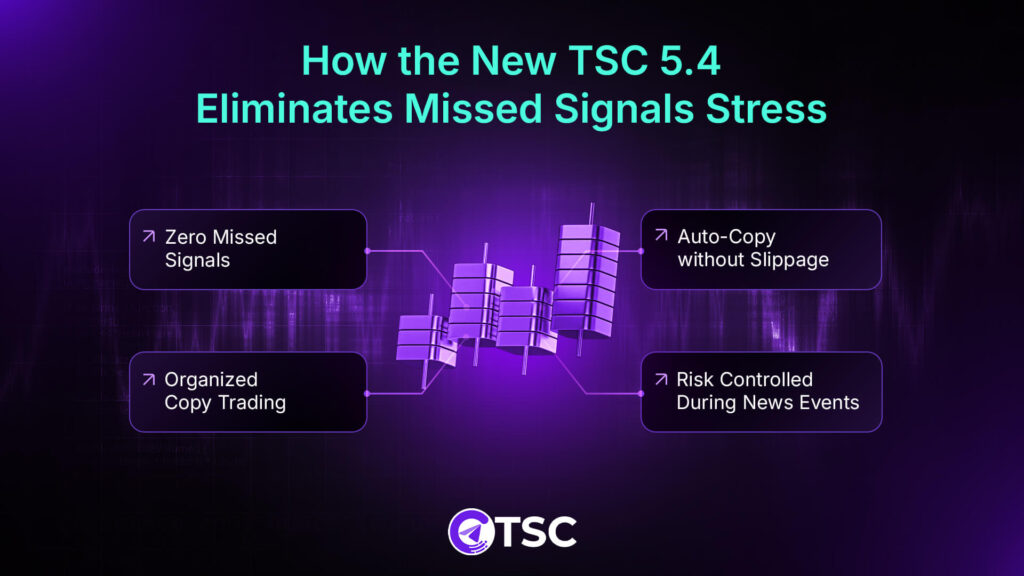
So, this quick release provides:
- Zero Missed Signals: You can track and be informed about every trade, removing the missed signals panic.
- Auto-Copy without Slippage: Every trade execution is optimized and live updated, ensuring signals aren’t missed.
- Organized Copy Trading: Track signal performance, signal frequency, and trade status quickly at a glance at any time.
- Risk Controlled during News Events: Advanced risk management by filtering out the trade pausing time duration automatically.
TSC Black Friday Mega Sales Celebrating 90K+ Users
Telegram Signal Copier (TSC) has become one of the fastest-growing Trade copier tools for copying Telegram signals to MT5/MT4/cTrader/DXTrade and TradeLocker. It helps thousands of traders eliminate missed signals, unreliable manual execution, and emotional decision-making.
With multiple account support and limitless signal copying capability, TSC has become perfect for traders who want to scale without staring at the charts all day. To celebrate this growing global user base of over 90,000 traders, TSC is offering comparatively attractive pricing plans designed for all types of traders- from beginner to seasoned expert.
This is high time you upgraded your trading and stepped into 2026 with an advanced and smarter trading system.
Ending Note: Why the Latest TSC Version 5.4 is a Breakthrough
2026 Telegram Signal Copier Updated version takes the pressure out of copy trading by ensuring you never have to worry about missed signals again. With Signal History for trade tracking and News Filter for safer execution during volatile events, you get a more reliable, organized, and fully traceable copy trading experience.
Whether you’re a beginner just starting out or already trading at a high level, TSC 5.4 ensures every signal counts and every trade stays under your control—tracked in real time.
Contact TSC live customer support, available 24/7 for you, and learn how to get the latest version.
FAQs

Missed signals are missed trades that a copier misses catching and executing in copy trading. When a trade is not executed at the signal time due to copier latency or technical delays, the missed signals happen.
TSC 5.4 uses Signal History to track every trade and News Filter to pause trading during major news events, eliminating the chances of missed signals.
Yes, every signal coming into the Telegram channel is updated in the ‘Signal History’ in real time for complete and organized tracking.
By making the ‘News Filter’ option ‘True’ inside the TSC app’s configure settings, you can turn the News Filter settings off or on without logging into the TSC admin portal.
Yes, you can. Every trade signal copied by the latest 2026 Telegram Signal Copier is saved in the ‘Signal History Dashboard’ with real-time updates.
To get the new TSC Version 5.4, download and install the new copier version from the TSC admin portal.


One Comment