How to Copy Telegram Signals to DXtrade Automatically (2026 Guide)
Modern traders tend to use more advanced trading platforms like DXTrade because they are more flexible for brokers and prop traders. But how to automate trades from Telegram to DXTrade?
Automating trade signals from Telegram directly into your trading platform, such as DXtrade, is possible using the best DXTrade trade copier tool. But if you don’t know how it all works, don’t worry!
Today, we will walk you through a comprehensive guide on DXTrade and Telegram trade automation to make the process as seamless and straightforward as possible.
Let’s dive in!

What is DXtrade?
DXtrade is an ultra-modern SaaS trading platform developed by Devexperts in 2020. This multi-asset trading platform provides access to a myriad of asset classes, including Forex, CFD, stocks, commodities, funds, SB, futures, options, and cryptocurrencies.
It is designed for proprietary firms, brokers, and dealers to provide brokerage services to the traders. They get several proprietary trading tools in DXtrade, which help them configure custom layouts for their clients. So it has become a preferred choice among both professional and retail traders.
Why choose DXtrade?
When it comes to choosing a trading platform, every trader wants a platform that combines advanced technology with user-friendly features and 24/7 support.
Let’s say you are someone who wants to copy and automate Telegram trading signals directly to trading platform. So that you don’t have to stay in front of the computer screen all the time. Then why not choose DXtrade? Here are some key reasons to choose DXtrade:
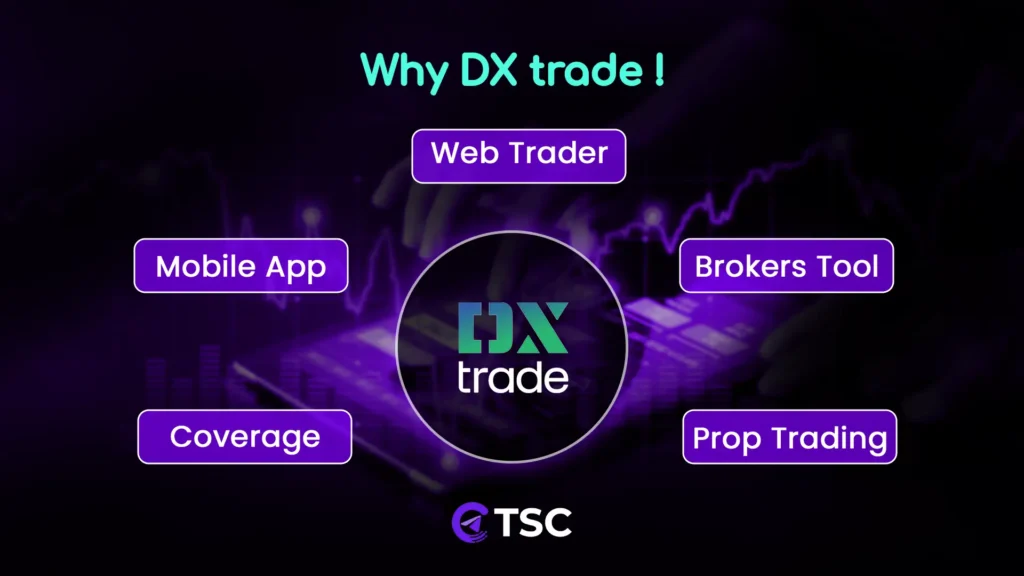
- Web Trader: Whether you’re executing trades, analyzing market trends, or adjusting your portfolio, DXtrade’s web trader dashboard provides a seamless and intuitive experience through a responsive and intuitive web interface.
- Mobile App: Now it’s possible to connect and manage trades anytime, anywhere with DXtrade’s dedicated mobile application, which is designed for both iOS and Android devices.
- Brokers’ Tools: This platform equips brokers with a comprehensive suite of tools to enhance operational efficiency and client satisfaction. Whether you’re a brokerage firm optimizing trading operations or a trader seeking a broker with robust broker support, DXtrade’s broker tools cater to diverse needs and reliability.
- Instrument Coverage: This platform also allows you to enjoy a wide range of instruments available for trading, ensuring comprehensive market coverage. So why not diversify your portfolio and capitalize on market opportunities with confidence and ease?
- Prop Trading: Another amazing thing about this platform is that it supports proprietary trading firms with tailored solutions to provide their clients with professional experience. It also allows you as a trader to maximize your profit when trading FX, crypto, CFDs, and spread bets.
Copy Signals from Telegram to DXtrade:
Nowadays, copying trade signals is a common thing for most traders. It helps traders to trade accurately and enhance their financial profits without continuous monitoring.
First of all, it is an amazing process that allows traders to replicate trades from any expert on Telegram directly into their trading platform.
Let’s say you want to use the DXtrade platform for your trading. So now you can use any Telegram channel for copying trade signals, which are then executed automatically on DXtrade. Is it amazing?
Why Use Telegram Signal Copier for DXtrade?
You are still trading this blog, which means you are interested in trade automation. But you may wonder how it’s possible to transfer trade signals from a Telegram channel to a trading platform like Dxtrade. Is there any other software that acts as an intermediary?
Yes, you are thinking right. In this case, we need to use the Telegram Signal Copier that helps us to seamlessly copy trades from Telegram to DXTrade. Here are reasons to use this AI-powered Telegram to DXTrade Signal Copier:
- Effortlessly copy your trades to DXTrade in real time
- Reduces manual effort and minimizes human error.
- Avoids emotional trading decisions
- Allows traders to access and manage trades remotely.
- Helps traders mitigate risks by setting predefined parameters such as lot size, stop-loss, and take-profit levels.
- Ensure secure and reliable transmission of trade signals.
- Can copy any type, any language signals, even image signals
- Save your time and money.
- Automates trades from multiple Telegram channels
- Allows customization to make your own trading strategies.
How to Copy Trades from Telegram to DXtrade?
To copy trades from Telegram to DXTrade, proper installation is crucial. Here are all the steps for that:
Step 1: Download & Prepare the DXTrade Copier Files
First, download and install the Telegram Signal Copier app from the Telegram Signal Copier (TSC) client portal. Extract the downloaded files. Now you will see the TSC application file and EA (Expert Advisor) file. Double-click the application file and install the TSC app.
And at the same time, download MetaTrader 5 (MT5) and DXTrade according to your device preferences.
Why download MT5? But it is crucial, as the trades will be copied to MT5 first, and then, using the TSC EA bot, it will be copied to DXTrade.
Step 2: Connect Telegram
Once the TSC application is installed, open it and connect your Telegram account.
To do this, enter your Telegram phone number inside the TSC app and verify it using the code sent to your Telegram app.
Note: TSC cannot access your private messages. It only reads signals from the channels or groups that you choose. After verification, you will find a pop-up display showing ‘licensed.’
Step 3: Connect TSC with MetaTrader 5
Next, install MetaTrader 5 (MT5) on your computer, if not installed and open a demo account.
Then connect MT5 with the TSC copier. Go to the TSC installation folder and locate the TSC MT5 EA bot file. Drag and drop this file onto an MT5 chart or double-click it to install.
This EA allows you to configure trade settings and manage how signals are executed.
Step 4: Enable Trade Execution to DXTrade
Now open the DXtrade and create or log in to your trading account.
After that, locate the DXtrade EA bot file inside the TSC installation folder and open MetaTrader 55 again. Double-click the file to attach it to your MT5 platform.
Open the EA settings and enter your DXtrade account details, such as:
- Account ID
- Password
- Broker server
Save the settings once the information is entered. Next, you need to allow MT5 to communicate with external services.
Open MT5, then go to Tools → Options → Expert Advisors and add the required URLs (such as https://add demo.dxtrade/, Telegramsignalcopier.ai… ) to the WebRequest settings.
This step allows MT5 to send trade data so the positions can be mirrored to your DXtrade account automatically. And you can find these URLs inside the TSC client portal dashboard.
Step 5: Configure the Telegram Signal Copier
Now add your DXtrade account both inside the TSC client dashboard and the TSC app.
Once the license is verified, you will see all available Telegram channels and groups connected to your account. Simply double-click the channels you want to copy signals from.
TSC allows you to copy signals from multiple Telegram channels at the same time. You can also configure additional options such as asset keywords, symbol mapping, or other trading preferences.
Step 6: Set Risk Settings & Test Signals
Finally, open the TSC EA settings on the MT5 chart and configure your preferred risk management options. Here you can set lot sizes, risk percentages, stop-loss and take-profit modifications, channel-basis risk configuration, custom account balance, and many more.
Once everything is configured, start copying signals from Telegram to your MT5 account. The trades will be executed there first and then automatically mirrored to your DXtrade account.
You can test the setup by sending a few dummy signals to your Telegram channel. If everything is connected correctly, the trades will be executed automatically on the DXtrade platform.
Note: For smooth signal execution, it is recommended to keep both MT5 and DXtrade running while the copier is active.
Step 7: Start Copy Trading to DXTrade
Please note that the “TSCEA_DX” is an additional EA to help you copy trades through Telegram. You must have your previous TSC EA running in one chart. Open another chart for the “TSCEA_DX” and then use your account credentials to log in.
You must keep both the MT5 and DXTrade running at the same time for smooth trade execution.
Now you can easily copy signals with the help of Telegram Signal Copier to your DXtrade. You can also follow this video:
Conclusion:
If you want to enhance your trading efficiency, reduce losses, and improve trading accuracy, then there is no better option than automating trades from Telegram to DXtrade. And Telegram Signal Copier instantly copies Forex, Gold, Indices, and Crypto signals to TradeLocker with AI precision.
Now, in this digital era, every trader wants to have something that can give them a stress-free trading experience and increase profits. In this case, the AI-powered Telegram signal Copier has come as a blessing for all experienced and newbie traders.
FAQs

DXtrade is one of the most popular trading platforms for Forex, gold, indices, and the crypto market.
Yes, it is a really good platform, known for its advanced technology, extensive asset coverage, and user-friendly interface.
Yes, it offers mobile apps for iOS and Android devices, which allow traders to manage their trades anywhere, anytime.
This platform offers a free-of-charge option for traders. However, its availability and pricing structure differ from broker to broker. So, first, consult a good DXtrade broker for the details.
Yes, DXtrade is directly integrated with TradingView.
No, it is not a broker or a prop farm. It is a trading software brokers and prop farms use to provide their brokerage services.