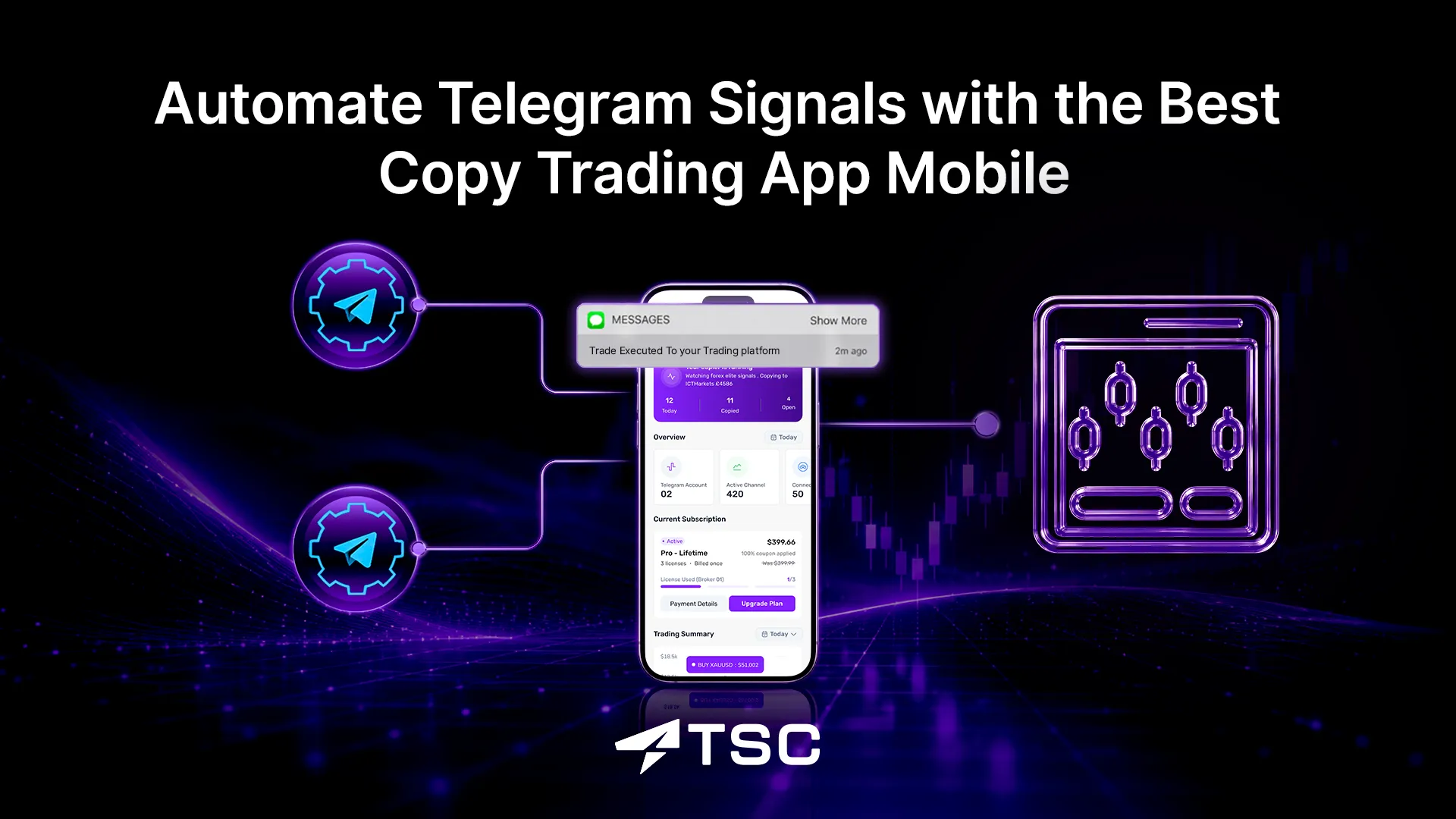
Automate Telegram Signals with the Best Copy Trading App Mobile
Do you follow Telegram signals with your busy schedule? But missed signals or slippage have been the daily issue?
That’s exactly the problem a copy trading app mobile solves. Instead of being glued to a screen, you let an app copy and automatically place the trades for you 24/7-straight from the phone in your pocket, even sometimes without turning it on.
The big question for most beginners isn’t whether to use one. Which copy trading app for mobile is actually the best for iOS or Android, and which ones are safe? Let’s break that down today.
What Is a Copy Trading Mobile App?
A copy trading mobile app is an application software for mobile that automatically copies Telegram trading signals to trading platforms. These are best known as mobile trade copiers. You can access the trade logs and automation copy trading updates directly from your smartphone screen anytime, anywhere- updated live.
Once the copier app is set up on your phone, it reads the upcoming trade signals on connected Telegram channels, reads it, extracts the trade details, and places that exact trade in your connected account — automatically. This is what people mean by copying telegram trading signals on your phone.
Mobile copy trading apps are ideal for beginner traders and signal followers who don’t have time to analyze the charts and want something to avoid errors while copying Telegram signals. A Mobile copier app addresses these issues and helps to automate trading signals from Telegram, avoiding manual error and slippage.
Why Mobile Copy Trading Is Growing So Fast
Mobile copy trading is growing rapidly because it removes the barrier to manual entries. People following Telegram signals can automatically copy and execute trades on the MetaTrader 5, MetaTrader 4, or cTrader.
The 2026 report by DataIntelo shows that the global copy trading platform market reached $4.3 billion in 2024 and is growing at a compound annual growth rate of 17–20%, expected to reach $15 billion by 2033.
Combined with on-the-go app convenience, mobile copier apps provide a seamless 24/7 access to global financial markets, fitting active trading into busy, on-the-go lifestyles.
No more missed signals, manual errors while copying, and trade slippage. By using the best signal copier app for mobile, you can monitor and manage trade logs according to your convenience and time schedule.
How Does a Copy Trading App Work on Android or iOS?
A mobile trade copier automatically replicates identical trades from Telegram to trading platforms, and you can manage and monitor the copied trades directly from your smartphone screen. To get started, you must install and set up the mobile trade copier app on your phone.
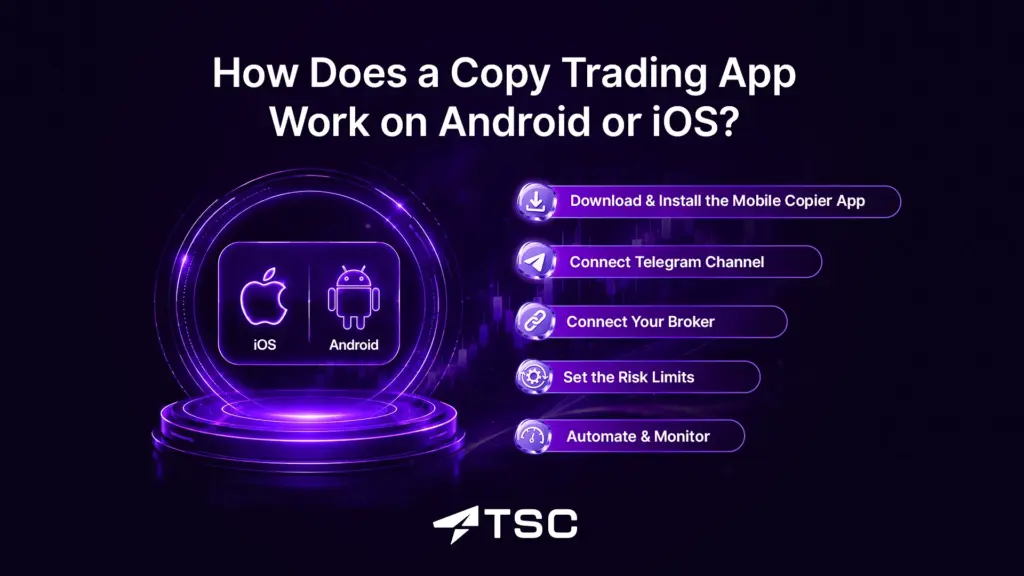
So, the entire process works as follows-
1. Download & Install the Mobile Copier App
First things first, download and install the copy trading mobile app from App Store (iPhone) or Play Store (Android). Most trade copier apps come with paid subscription plans, so make sure to complete the purchase for smooth installation.
2. Connect Telegram Channel
Next, connect your Telegram channel by logging in to your Telegram account through the mobile trade copier app. Then, connect all the Telegram channels or groups of reliable signal providers. Before choosing the trade signal provider on Telegram, verify at least the last 12 months of performance record.
Some trade copiers only work within Telegram, which is actually not an individual copy trading app, but a Telegram bot. It’s recommended not to fall for such so-called mobile trade copier apps.
3. Connect Your Broker
Then, connect your trading platforms as well as the broker account. Simply enter your trading account credentials to give the copier app access to your trading account to place the trades automatically.
4. Set the Risk Limits
Now, time for risk management. Different mobile copier apps have different settings. The basic risk settings are almost the same. For example, choosing the lot size according to your account balance, entry modifying, SL-TP modification, entry delay to differ the signal provider’s strategy, and so on.
Some advanced copy trading mobile apps come with more smart settings, like the TSC Infinity, which offers a complete trackable ‘History Dashboard’ showing the trade log of every copied trade. This really helps in periodic performance overview and trading signal analysis.
5. Automate & Monitor
Now that your copier setup is done on your mobile, start automating Telegram trade signals. Some promote copy trading as a ‘set it and forget it’ strategy. But in reality, it needs time-to-time reviews and follow-up.
It’s always ideal to monitor your automated trade copier app weekly and review the singal provider’s strategy, whether it’s changing or consistent. The best thing about using a trade copier mobile app is that you can have access to your live trades anywhere on the go through your mobile device.
Mobile Copy Trading in 2026: Adoption & Market Data
Copy trading on mobile is booming in 2026 due to the rapid growth of trading through mobile phones. Daily Forex data shows that more than 78% of Forex traders search for a broker using a mobile or tablet device. And around 59.2% of mobile traders use Android phones, while 40.8% us iOS.
In 2020, Daily Forex conducted a survey among some Forex traders on the choice of using a trading app on mobile. And it showed that 93% of them like to use the MT4 mobile app for forex trading. Again, in April, 2025, the UK Financial Conduct Authority (FCA) issued a research paper on trading apps, where they found more engagement and frequent trades on the app than on the desktop.
Countries such as China, India, and South Korea are seeing a surge in the growing interest in mobile-first trading platforms among individual traders, professional traders, institutional investors, and others. This confirms that the phone, not the desktop, is now the center of gravity.
Key Features to Look for in the Best Copy Trading App Mobile
Advanced risk controls are the key. However, a mobile copier should be considered with some other highlighting features.
When people ask “which is the best copy trading app,” they’re really asking “what should I look for?” So, here’s the checklist that separates a legit copy trading app from a risky one.
- Telegram Signal Copying on Android & iOS
Can the app actually copy Telegram signals on your phone’s operating system? Check that there’s a real telegram signal copier Android version on Google Play and a telegram signal copier iOS version on the App Store- not just a desktop tool with a mobile login. The best mobile signal copier handles the full process automatically, end to end. - Trade Execution Speed
Check for the execution delay or latency time between the signal and trade execution. For fast markets, lower latency means a better entry price. For example, the web-hosted trade copiers work great in this and can seamlessly copy trades from multiple Telegram channels.
- Cloud Hosted
Here’s a problem beginners hit fast: If the copier runs only on your phone, it stops the moment your phone sleeps, loses signal, or gets off, and you miss trades. A mobile telegram signal copier built on cloud infrastructure runs on an always-on remote server instead, so it copies signals 24/7 even when your phone is off. - Risk Management Settings
This is non-negotiable for beginners. A solid signal copier app lets you set stop-loss, take profit, lot sizes, and drawdown caps. Modern trade copier apps come with more advanced risk control features, such as the custom trailing stop, entry delay, maximum loss limit, time filter, news filter, and so on. Whether you are trying prop firm challenges, or a small account holder just starting out, the best mobile copier can handle the automation without a drawdown breach. - Multi-Broker Support
The best copy trading app for mobile doesn’t lock you into one broker. Multi-broker support means the app can connect to several brokers or platforms like MT4, MT5, cTrader, etc. - Mobile Notifications
Even with full automation, you want to know what’s happening. The best copy trading mobile apps keep you informed with push notifications on your mobile. This keeps you in control without watching the screen all day — the whole point of choosing to copy trade signals directly from your phone. - Cross-Device Synchronization
You shouldn’t have to start over when you switch devices. Cross-device synchronization means your settings, connected accounts, and copy history stay in sync across your phone, tablet, and any web dashboard. Set your risk limits once on Android, open the app on an iPad, and everything is already there. It’s a small feature that saves real frustration. - Regulation, Transparency & Verified Track Record
A legit copy trading app doesn’t hide behind screenshots. It shows a verified performance history (such as a Myfxbook audit), shares customer feedback, keeps a growing community— like the FCA (UK) or ASIC (Australia), and is upfront about fees. If you can’t verify the track record, treat the claims as marketing, not fact.
How to Choose the Best Copy Trading App for Your Phone
Choosing the best and legitimate copy trading app mobile requires the following considerations. Ask yourself the following questions to avoid scams when choosing a Telegram signal copier for Android or iOS.
- What do you trade? Forex, gold, indices, or crypto. A copy trading app should specialize in every asset class.
- Which phone do you use? Confirm there’s a genuine Android and iOS build with feature parity.
- What’s your budget? Copy trading app with a free trial version can be a great start, but check for spreads, markups, or subscription fees for VPS or MetaApi hidden behind the “free” label.
- What’s your risk tolerance? Beginners should favor apps with strong built–in basic risk controls like no trades without stop-loss, ideal lot size, etc.
Best Apps for Copying Trading Signals from Telegram on Android or iOS
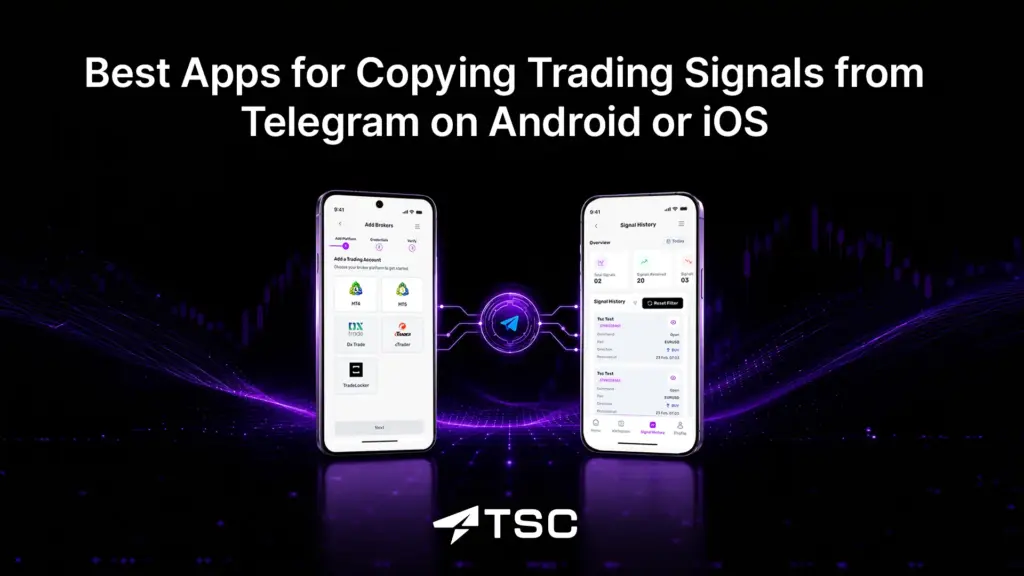
The right app depends on you, not on a “top best copier” list. If you specifically want to copy Telegram trading signals on your phone, TSC Infinity stands out as the world’s first fully cloud-based mobile signal copier — and it’s built to fix the exact problem that traps most beginners.
Other trade copiers need a Windows PC or a paid VPS running around the clock. The moment that the machine sleeps or drops the connection, you miss trades. TSC Infinity removes that entirely: there’s no VPS, no MetaApi, no desktop app, and no extra software to install. It runs 100% on the cloud, so your signals keep copying 24/7 even when your phone is switched off.
What makes it a genuine copy trading app for mobile rather than a desktop tool with a login, it is truly a mobile-first copier tool with a native mobile app available both on App Store and Play Store. Setup takes 60 seconds, and there’s a free trial to test it before you commit.
Can You Copy Telegram Signals Directly From Your Phone?
Yes, you can copy trade signals on mobile if you use a mobile trade copier app. As mentioned above, a good telegram signal mobile copier like the TSC infinity copies trade signals from Telegram to trading platforms automatically- from your phone.
You can check the copied trades, analyse performance, and control according to your preference anytime, from anywhere- directly from your phone.
Is Copy Trading on Mobile Safe? Risks Every Beginner Must Know
Of course, copy trading on mobile is completely safe and legit to use. The notable thing is that copy trading apps make trading easier and fully automate, but they don’t make it risk-free. Be careful of –
- Market Volatility. Markets move against even great traders. Profits are never guaranteed.
- Copying the wrong signal provider. A few good months can hide a risky strategy. Less than 6 months of performance of a signal provider never guarantees future results.
- Over-leveraging. Borrowing to trade bigger amplifies losses as much as gains.
- App and security risk. Use only apps from official stores with transparent operators.
- Additional Fees. Several trade copiers require additional fees along with the copier price, saying to be the usual, which is not. Make sure you get the best Telegram trade copier like TSC Infinity that does not claim additional tools or charges.
The Bottom Line
The best copy trading app mobile for iOS or Android isn’t the one with the highest profit claims; instead, it’s the one that runs smoothly on your phone, copies your signals fast, shows a verified and transparent track record, hands you proper risk controls, and treats past performance as history, not a promise.
Ready to put it into practice? If your signals live in a Telegram channel, a cloud-based trade copier like TSC Infinity lets you copy them 24/7 with no VPS. Start with the 5-day free trial before scaling up.
You can also learn more from the TSC support team, available for you 24/7/365.
FAQs

No trade copier app is free of cost. However, the TSC Infinity mobile trade copier app comes with 5 days of free trial.
Yes, by using a native Telegram copier app that runs without a VPS, you can copy and automate Telegram trade signals directly from your phone.
TSC Infinity is the best copy trading app mobile in 2026 for its native mobile app, which runs completely on the cloud, without a VPS and MetaApi connection.
Mostly, yes. Core features, like copying signals, setting risk, and monitoring trades, are the same on both. The only differences are usually app permissions, minor layout changes, and which store you download from.
Yes, the reputable ones are safe to use. A legit copy trading app supports most of the popular trading platforms.
No, a completely cloud-based copy trading app, such as TSC infinity, does not need to use or open MT4 or MT5, not even the MetaApi.